VLSI Korea
My Codex Desktop Memory Incident: 19 GB and 16 GB of Swap
A sanitized, first-person incident report on runaway Codex Desktop memory, helper-process growth, and the safeguards developer tools need before macOS starts swapping.


🆓 무료 글 · 누구나 무료로 읽을 수 있는 글입니다
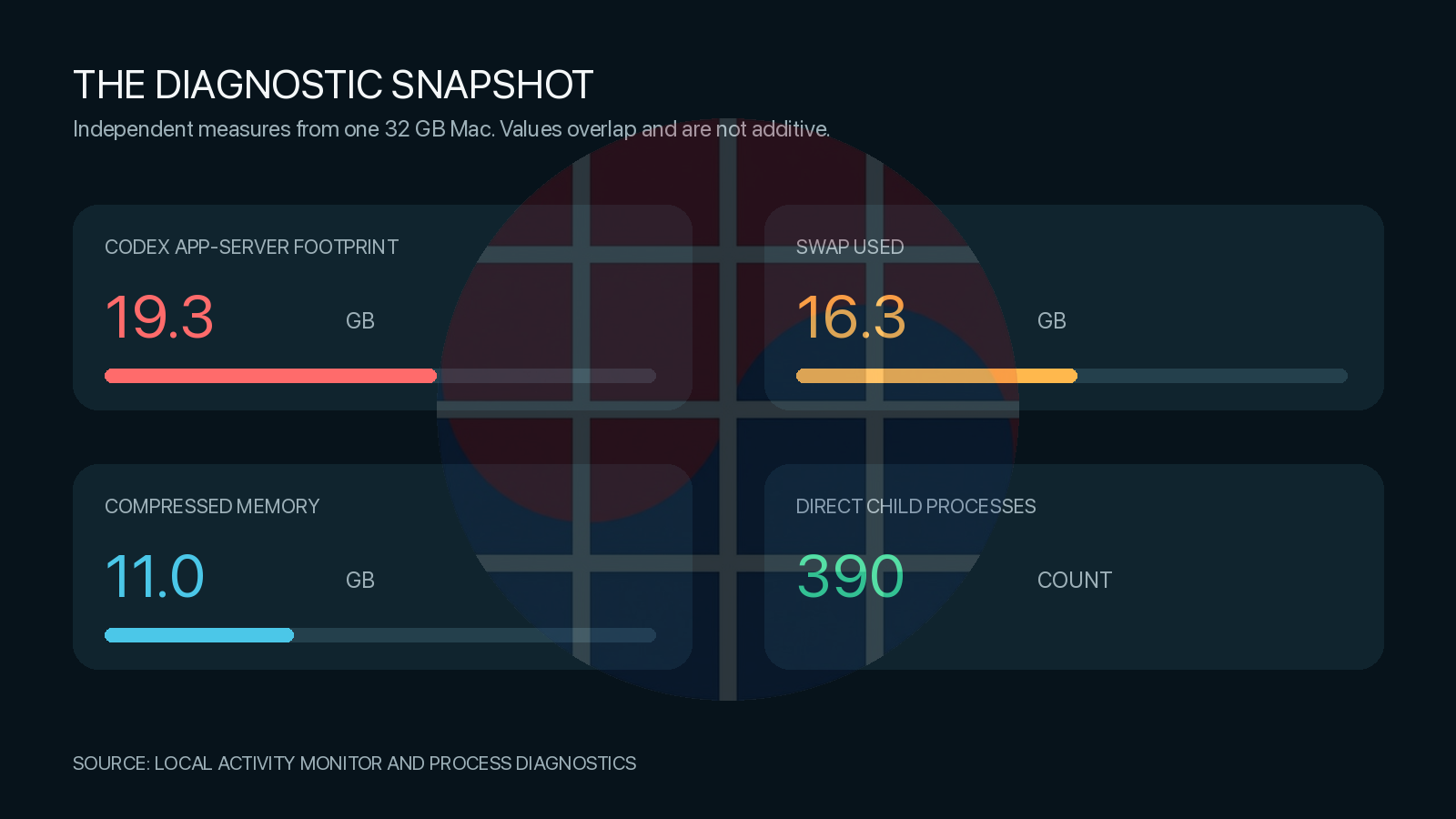
On a 32 GB Mac, my Codex Desktop session reached a 19.3 GB app-server footprint while macOS held about 16.3 GB in swap. The slowdown was not explained by the two development tasks I could see. A process-tree inspection found roughly 390 direct child processes using another 10.6 GB of resident memory.
This is a first-person incident report, not a claim that every Codex installation has the same defect. I am publishing the measurements because the failure mode is reproducible enough to deserve investigation.
What I measured
The shared Codex app server had a 19.3 GB physical footprint and a 20.1 GB recorded peak. Its writable regions showed about 17.5 GB swapped out. The allocator reported approximately 108.9 million allocations and 15.8 GB allocated.
The process tree was just as important as the main heap. Direct children included 126 Computer Use workers, 97 plugin MCP workers, 79 SEO MCP workers, and 77 Node REPL workers. Ten renderer processes used about 2.6 GB RSS, while 55 apparently orphaned headless-browser processes used about 1.9 GB.
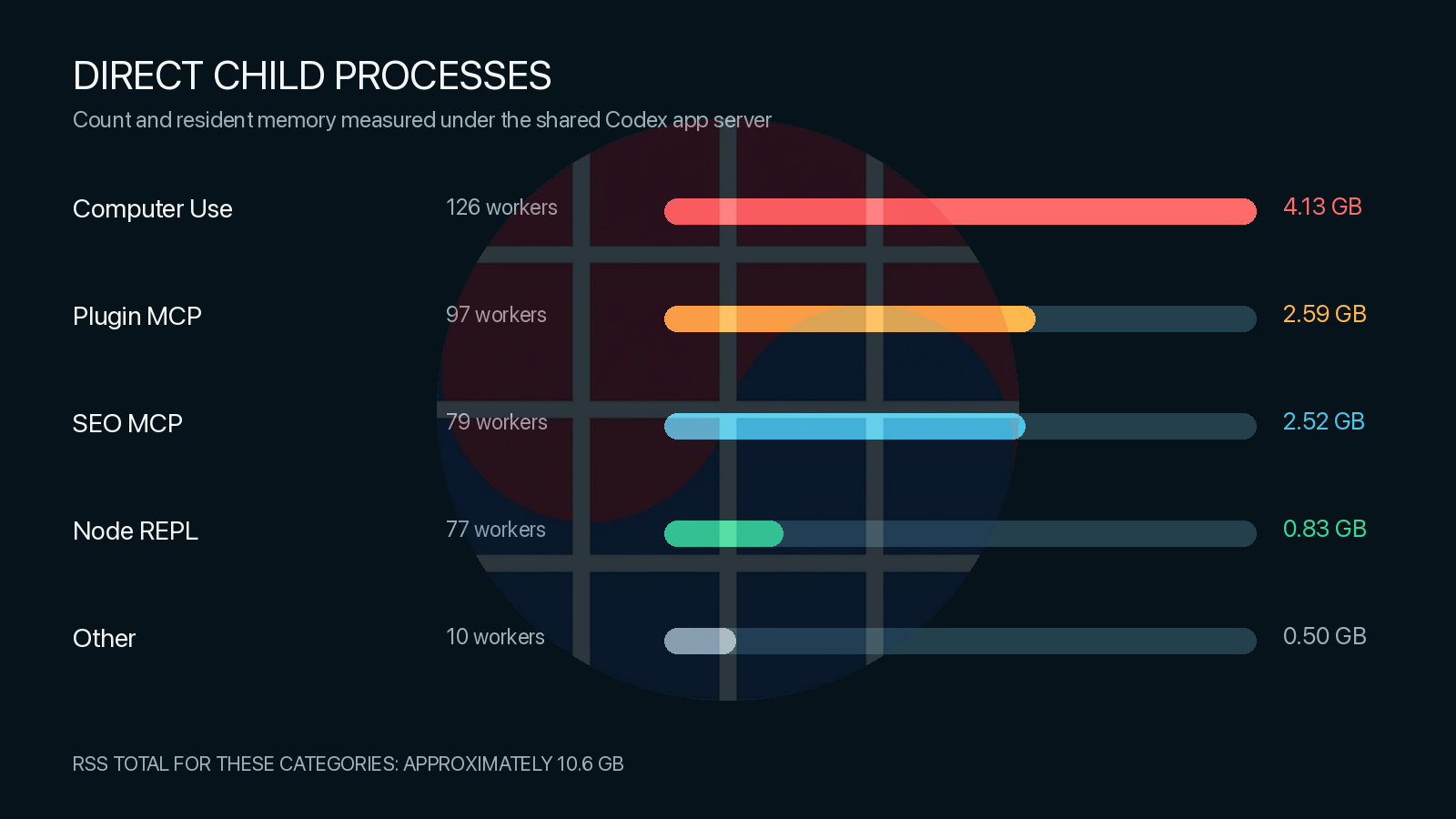
The visible workload was small, but the retained runtime state was not. The strongest signal was the combination of a very large shared heap and hundreds of long-lived tool workers.
How it developed
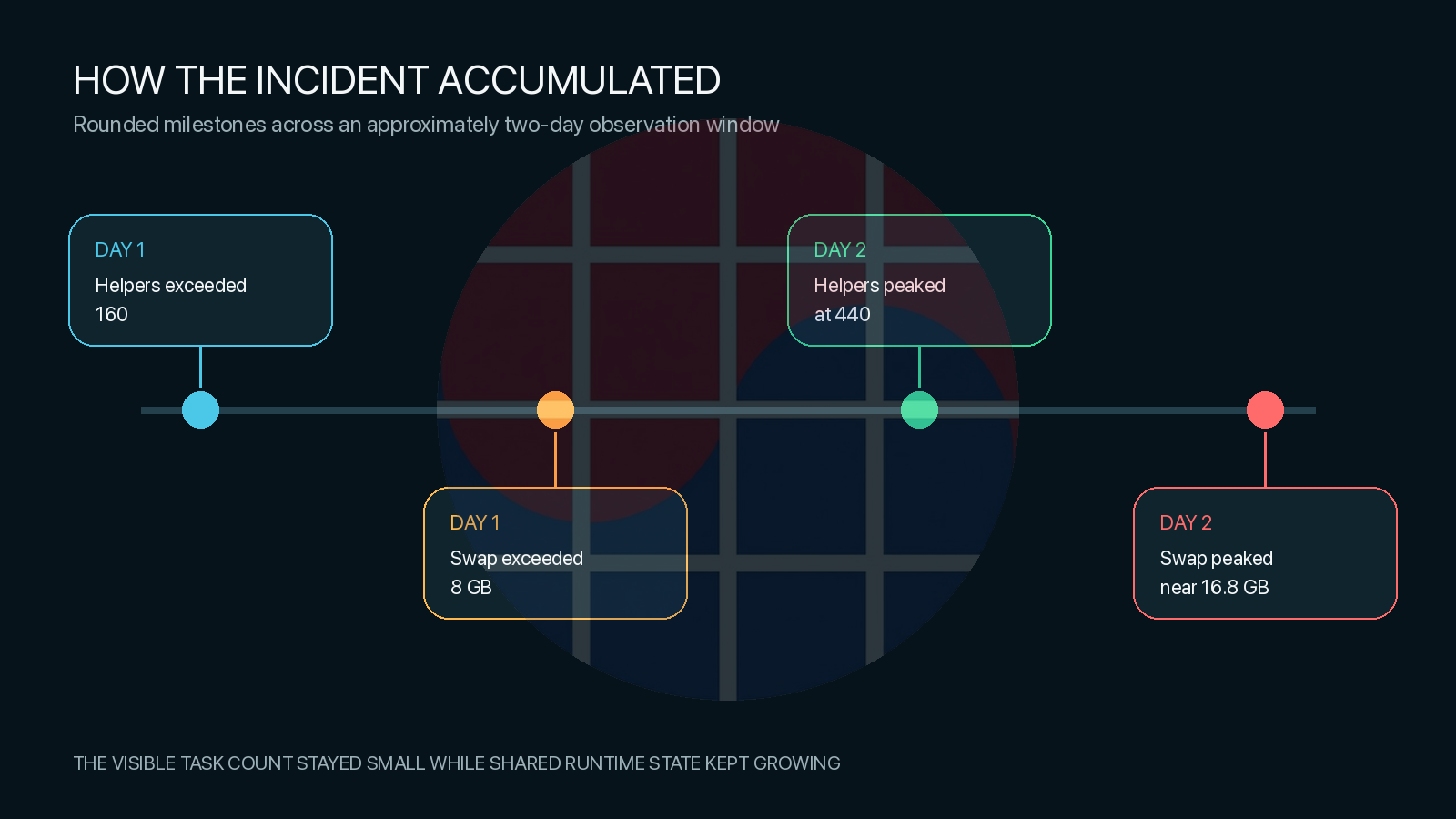
I had several long-running, tool-heavy sessions involving browser control, Computer Use, MCP servers, and REPL execution. Helper count first moved beyond 160. Swap later crossed 8 GB. By the following day, helpers had peaked around 440 and swap near 16.8 GB.
What I think happened
The direct culprit was the shared Codex app-server process, not a project development server. The most plausible explanation is two interacting lifecycle problems: the app server retained a large amount of heap after heavy sessions, and tool workers were not consistently reaped when tasks became idle or finished.
I cannot prove which individual task owned each shared helper. That mapping is not exposed clearly enough. I also cannot call this a confirmed memory leak from one incident alone. However, project servers were comparatively small, while the shared Codex runtime dominated both memory and process count.
Mitigation and the missing safeguard
I added a local guard that checks memory pressure before the machine becomes visibly slow. It safely removed known inactive helpers, including 56 in one cleanup pass. It deliberately avoided killing active or shared workers because that could damage running tasks.
That reduced background growth but did not reclaim the app server's retained heap. A full Codex quit and relaunch was still the reliable way to return that memory to macOS.
The product-level fix should be preventive: bind every helper to a task lifecycle, reap stale browser, MCP, and REPL workers, impose a practical heap ceiling, and surface a per-task memory view. Codex should act before macOS needs double-digit gigabytes of swap, not after the user notices latency.
Reproduction outline
- Run several long-lived local tasks that use browser control, Computer Use, MCP tools, and REPL execution.
- Leave the desktop app open across a day or more, allowing some tasks to finish or become idle.
- Inspect the shared app-server footprint, direct-child count, renderer count, headless browsers, compression, and swap.
- Compare those values before and after fully quitting and relaunching Codex.
Privacy note: I removed usernames, local paths, private project names, task identifiers, process identifiers, source code, and credentials. Values are rounded where diagnostic precision is not material.
Measurements came from macOS Activity Monitor and local process diagnostics. OpenAI identifies its Developer Forum as a place to connect with the developer community. More English technical analysis is available on the VLSI Korea English site.
AI-assisted drafting; all system measurements and conclusions were reviewed by the author.
Related reading
- Memory Giants Compared: Samsung, SK hynix, Micron, Kioxia, CXMT, YMTC…
- Nomura: Memory Shortage Through 2028 — Samsung Target KRW 670,000, SK…
- Market Bulletin: RAMageddon — AI Data Centers Devour Memory as…
- Memory Hierarchy & Memory Wall
- Boom Through 2027 or Glut by 2029? The Memory Capex Bet at the Cycle Peak